




Product Information
What is Vinegar?
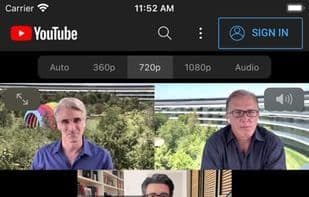
Vinegar is a Safari extension that replaces the YouTube player with a minimal HTML video tag.
It removes ads, restores the picture, and keeps videos playing in the background.
Note: The text "can read information from webpages" is just unfortunate wording. Vinegar needs access to webpages to locate and replace the YouTube player. It doesn’t do anything creepy!
How to use Vinegar?
Vinegar is a Safari browser extension that replaces the YouTube player with a simplified HTML5 video tag, aiming to remove ads, restore picture-in-picture functionality, and support background playback, enhancing the YouTube viewing experience.
Core Functions of Vinegar
Safari extension, YouTube integration
Usage Scenarios of Vinegar
- Remove ads from YouTube videos.
- Continue video playback after switching browser tabs.
- When Safari is in the background, choose to play only the audio stream to keep music playing.
- Restore YouTube's picture-in-picture feature.
- Also works when watching embedded YouTube videos on other websites.
- Prevent YouTube from tracking user play, pause, and skip activities.
Common Questions about Vinegar
What does Vinegar do?
How do I use Vinegar?
What are the core features of Vinegar?
What are the use cases for Vinegar?
















