




Product Information
What is Wp-monitor?
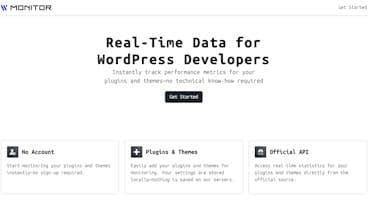
Get real-time insights into WordPress plugin and theme performance. Track rankings, downloads, and keyword visibility—no registration required. Perfect for WordPress developers looking to optimize their projects.
How to use Wp-monitor?
WPMonitor provides real-time performance insights for WordPress plugins and themes, including rankings, downloads, and keyword visibility, helping WordPress developers optimize their projects.
Core Functions of Wp-monitor
Real-Time Monitoring of WordPress Plugin and Theme Performance
Track Plugin and Theme Downloads and Rankings
Analyze Keyword Visibility
Explore WordPress Versions and Total Plugins/Themes
Provide Detailed Statistics for Official WordPress.org Plugins
Usage Scenarios of Wp-monitor
- WordPress developers optimize their plugin and theme projects
- Track market performance of WordPress plugins and themes
- Analyze keyword rankings to improve visibility
- Gather statistics and trends in the WordPress ecosystem
Common Questions about Wp-monitor
What does WPMonitor do?
How do I use WPMonitor?
What are the core features of WPMonitor?
What are the use cases for WPMonitor?
















