
Product Information
What is Uploader-window?
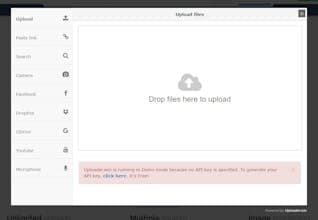
Add file upload functionality to your website or project with just 1 line of JS code! Supports direct uploads from Facebook, Dropbox, Google Drive, via links, image search, microphone, camera, YouTube, and more. You can save files directly to an S3 bucket or Dropbox Spaces account. Includes a built-in image editor, allowing users to edit, adjust, and apply filters to images.
How to use Uploader-window?
Uploader Window is a tool for integrating file uploads into websites and apps with one line of JS code. It supports multiple upload sources and includes a built-in image editor for easy file handling.
Core Functions of Uploader-window
Quick Integration with One Line of JS Code
Support Multiple File Upload Sources
Built-in Image Editing Features
Support Resumable Uploads
Visual Configuration of Upload Settings
Global Upload Acceleration
Usage Scenarios of Uploader-window
- Add file upload functionality to websites or apps
- Allow users to upload files from multiple sources
- Enable users to edit images before uploading
- Save uploaded files directly to cloud storage
- Resume file uploads after network interruptions
Common Questions about Uploader-window
What does Uploader Window do?
How do I use Uploader Window?
What are the core features of Uploader Window?
What are the application scenarios for Uploader Window?