
Product Information
What is Layer?
Layer is highly praised for its robust collaboration features that enhance Google Sheets. Users appreciate its ability to simplify data management and boost team efficiency. The intuitive, clutter-free UI integrates seamlessly, and the product is particularly valued by finance teams for streamlining budget cycles. While onboarding could be clearer, the customization options and support are commendable. Users report significant time savings and positive feedback from both internal and external stakeholders. Overall, Layer is regarded as a valuable tool for modern collaborative needs.
How to use Layer?
Layer is a tool that enhances Google Sheets' collaboration features, simplifying data management, improving team efficiency, and automating data workflows to help users leverage Google Sheets for better teamwork and data analysis.
Core Functions of Layer
Enhanced Google Sheets collaboration capabilities
Automated data collection and distribution
Integrate and synchronize multi-source data
Generate data reports and dashboards
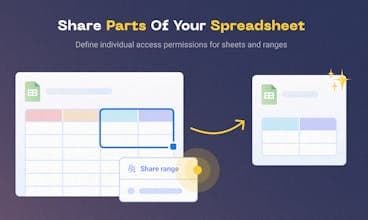
Enable selective data sharing
Simplify Data Management Processes
Usage Scenarios of Layer
- Simplifying Budget Cycles for Finance Teams
- Data Collaboration Among Different Stakeholders
- Automating Repetitive Data Tasks
- Cross-Team Data Collection and Sharing
- Centralizing and Scaling Google Sheets Processes
- Transforming Raw Data into Meaningful Insights
Common Questions about Layer
What does Layer do?
How do I use Layer?
What are the core features of Layer?
What are the application scenarios of Layer?