
Product Information
What is Mailbird?
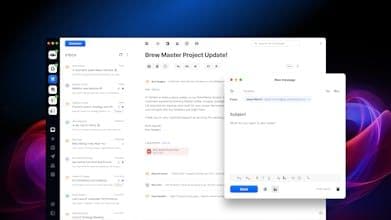
Mailbird is praised for its clean design and the ability to manage multiple email accounts from a unified inbox, which users find time-saving and efficient. The integration with third-party apps like WhatsApp and Facebook Messenger is appreciated for reducing clutter. However, users note that the macOS version lags behind the Windows version in terms of performance and features, with some experiencing slowness and bugs. The absence of a mobile app and advanced features, such as sophisticated filtering, are also mentioned as areas needing improvement. Overall, Mailbird is seen as user-friendly but with room for enhancement.
How to use Mailbird?
Mailbird is an email client that unifies inboxes for multiple accounts and integrates third-party apps to streamline email management.
Core Functions of Mailbird
Unified Inbox for Multiple Email Accounts
Integration with Third-Party Apps (e.g., WhatsApp, Asana)
Customizable Interface Options
Email Tracking Features
Centralized Email and Contact Management
Usage Scenarios of Mailbird
- Unify management of multiple email accounts
- Reduce chaos from switching between platforms
- Directly handle communication and management tasks
- Improve daily email management efficiency
- Create personalized productivity workspaces with integrated apps
Common Questions about Mailbird
What does Mailbird do?
How do I use Mailbird?
What are the core features of Mailbird?
What are the application scenarios of Mailbird?