




Product Information
What is Clickdesk?
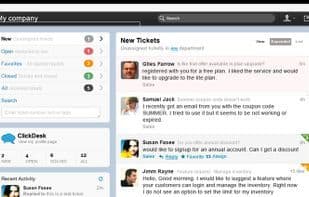
ClickDesk provides websites with a magic box of live chat, voice chat, help desk, and social toolbars. ClickDesk is cloud-based; no downloads or installations are required for users. Support agents receive chats via their favorite IM platforms like Skype and Google Talk. Built-in voice chat lets visitors call businesses via browser phone, Skype, or local access numbers available in 40+ countries. The ClickDesk interface also includes a first-of-its-kind social toolbar, enabling users to tweet or like a Facebook page directly from the chat window. ClickDesk recently launched an easy-to-use help desk feature for businesses to efficiently manage support emails and offline chat messages; making it a complete multi-channel communication solution.
How to use Clickdesk?
ClickDesk provides live chat, voice chat, help desk, and social toolbar features for websites, offering businesses a multi-channel communication solution to boost conversions.
Core Functions of Clickdesk
Customer service
Voice Chat
Usage Scenarios of Clickdesk
- Interact with website visitors in real-time
- Communicate with customers via voice and video chat
- Manage support emails and offline chat messages
- Post tweets or like Facebook pages directly in chat windows
- Handle chats and manage tickets on mobile devices
- Answer customer questions to improve conversion rates
Common Questions about Clickdesk
What does ClickDesk do?
How do I use ClickDesk?
What are the core features of ClickDesk?
What are the application scenarios of ClickDesk?



















