
Product Information
What is Digicamcontrol?
An open-source DSLR remote control software
Features:
Remote camera control via USB from a computer
Trigger image capture remotely via the camera’s shutter button or the computer
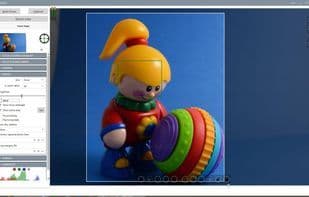
Display images on the computer screen while handheld
Bracket exposures with custom shutter speeds or exposure values
Create timelapse sequences with an advanced intervalometer
Manage multiple profiles
View histograms and photo metadata
Full-screen viewing
Manage camera presets (saved settings)
Web server (control app functions via smartphone or any web-enabled device)
Multi-camera support for simultaneous or sequential shooting
How to use Digicamcontrol?
digiCamControl is open-source software that allows remote control of DSLR cameras via USB from Windows PCs, providing image capture, live view, advanced shooting controls, and multi-camera management—an innovative, user-friendly, and free solution for complex camera control.
Core Functions of Digicamcontrol
Real-Time Preview
Supports Android Things
Time-lapse photography
Live view
Bracketing exposure
Usage Scenarios of Digicamcontrol
- Remotely control camera settings and trigger image capture via USB from a Windows PC.
- Shoot handheld and instantly view images, histograms, and metadata on a computer monitor.
- Create a series of time-lapse images and generate time-lapse videos.
- Perform a series of bracketed exposures with customizable shutter speed, aperture, or exposure value.
- Remotely control app functions via a web server using a smartphone or tablet.
- Control multiple connected cameras simultaneously for synchronized shooting or use the astrophotography module for long exposures.
Common Questions about Digicamcontrol
What does digiCamControl do?
How do I use digiCamControl?
What are the core features of digiCamControl?
What are the use cases for digiCamControl?