




Product Information
What is Link-to-qr?
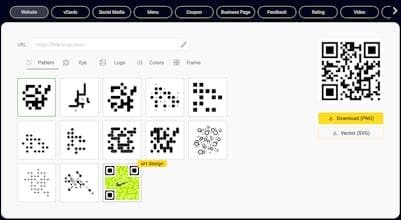
Free beautiful QR codes. Add/remove borders. Insert text, use transparent backgrounds, apply any color. No registration or credit card required.
How to use Link-to-qr?
Link to QR is a free online platform where users can create, edit, and manage beautiful, trackable QR codes, supporting custom designs, real-time link updates, and scan data monitoring.
Core Functions of Link-to-qr
Create and edit QR codes
Track QR code scan statistics and geolocation
Automatically update QR code link content
Organize and manage QR codes by team, campaign, or stage
Highly customizable QR code appearance (patterns, logos, colors, borders)
Support for various content types including links, contact info, and text
Usage Scenarios of Link-to-qr
- Create digital menu QR codes for restaurants
- Use for social media promotion and engagement
- Share contact details on business cards
- Collect user reviews and feedback
- Support geographic location analysis for global marketing campaigns
Common Questions about Link-to-qr
What does Link to QR do?
How do I use Link to QR?
What are the core features of Link to QR?
What are the application scenarios for Link to QR?



















