




Product Information
What is Polaris se?
Polaris SE is a comprehensive, user-friendly mIRC script. The new features of the script help ensure an increase in functionality, ease of use, and quality, making it one of the best scripts to date!
General Features:
- Multi-network auto-connect on startup allows you to connect to multiple networks upon launch.
- Polaris SE multi-network auto-join automatically enters defined channels upon connection.
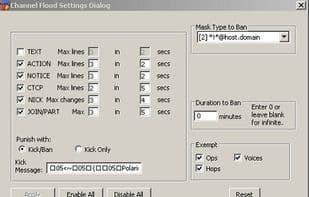
- Channel flood protection.
- Ban enforcer (automatically kicks banned users).
- Self-ban protection with various retaliation settings (e.g., banning/kicking those who ban you) and the ability to unban yourself using X and/or ChanServ.
- Auto-greet system welcomes friends back with custom messages when they join a channel.
- Shitlist system automatically bans unwanted users upon joining—now featuring a dialog editor.
- Auto-userlist system for auto-op [+o], auto-voice [+v], auto-halfop [+h], superop [+a], and auto-owner [+q]—the latter three depending on network support.
- Nick completer.
- Nick alert (notifies you if someone mentions your nickname).
- Auto-pinger (automatically pings users who type "ping me" in the channel and informs them of the ping time).
- Updated title bar displaying latency, user mode, online status, current time, and server name.
- Auto-part/quit system.
- Personal flood protection quickly silences abusive users and can ignore them promptly (if they are friends).
- Trusted nicknames, such as your friends and NickServ/ChanServ, so they don’t trigger personal flood protection.
- NickServ auto-identifier and Ghoster.
- Timed request ads to remind other users of your needs.
- Ability to edit primary and secondary script colors.
- Lag meter.
- Min/max CPS settings for file-sharing DCC sends. If the transfer speed falls below the minimum CPS, it’s canceled. The maximum CPS prevents your upload bandwidth from being fully consumed.
How to use Polaris se?
Polaris SE is a user-friendly mIRC script designed to enhance the mIRC experience with improved functionality, ease of use, and quality.
Core Functions of Polaris se
Internet Relay Chat
Internet Relay Chat
IRC
Usage Scenarios of Polaris se
- Automatically connect to multiple mIRC networks on startup.
- Auto-join predefined channels.
- Protect channels from flood attacks.
- Automatically kick out banned users
- Automatically manage user permissions, such as auto-op, voice, halfop, etc.
- Control the minimum and maximum CPS rates for DCC transfers during file sharing
Common Questions about Polaris se
What does Polaris SE do?
How do I use Polaris SE?
What are the core features of Polaris SE?
What are the application scenarios of Polaris SE?



















