




Product Information
What is Tabletop simulator?
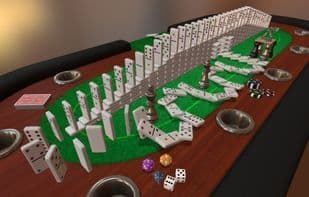
Create your own original games, import custom assets, automate gameplay with scripts, set up full RPG dungeons, manipulate physics, create hinges and joints—and yes, flip the table when you lose. All this is made possible through an easy-to-use system integrated with the Steam Workshop. In Tabletop Simulator, you can do anything you imagine. The possibilities are endless!
How to use Tabletop simulator?
Tabletop Simulator is a versatile simulator that allows users to create original games, import custom assets, automate games with scripts, set up RPG dungeons, and perform physical operations. It features an easy-to-use system integrated with Steam Workshop for creative freedom.
Core Functions of Tabletop simulator
Board Games
Multiplayer
Modular
Virtual Desktop
Support VR
Supports Android Things
Usage Scenarios of Tabletop simulator
- Create your own original desktop games
- Import custom game assets
- Automate game processes through scripting
- Set up a complete RPG dungeon scene
- Perform physics operations like creating hinges and joints
- Flip the table in frustration when losing a game
Common Questions about Tabletop simulator
What does Tabletop Simulator do?
How do I use Tabletop Simulator?
What are the core features of Tabletop Simulator?
What are the use cases for Tabletop Simulator?



















