




Product Information
What is Tweetduck?
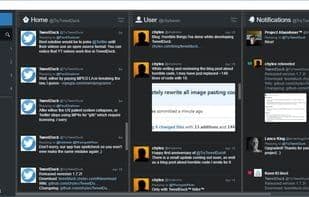
A free desktop application designed to replace and enhance the discontinued official TweetDeck client.
TweetDeck offers numerous customization options for its design and behavior
Many new features and enhancements—adding emojis to tweets, pasting images from the clipboard, easily taking screenshots of tweets and notifications, and much more
Familiar pop-up notifications with many new features and improved multi-monitor support
Advanced customization through a plugin system and editable CSS
How to use Tweetduck?
TweetDuck is a free, open-source desktop app that replaces and improves the discontinued official TweetDeck client, offering rich customization and enhanced features.
Core Functions of Tweetduck
Portable, Right-Click Tab Menu
Usage Scenarios of Tweetduck
- Customize TweetDeck design and behavior, such as restoring old dark theme, icon design, or square avatars.
- Add emojis to tweets and paste images directly from the clipboard.
- Download all images and videos from tweets and post using custom templates.
- Receive fully customizable desktop notifications for position, size, and sound, with multi-monitor support.
- Spell-check and translate tweets in multilingual environments (supports over 35 languages).
- Advanced customization via plugin systems and editable CSS for professional users.
Common Questions about Tweetduck
What does TweetDuck do?
How do I use TweetDuck?
What are the core features of TweetDuck?
What are the use cases for TweetDuck?



















