




Product Information
What is Cmar4pabx?
This is an all-in-one, easy-to-use professional call accounting software. It operates on Microsoft PC and connects to any PABX system via its SMDR or CDR port (through RS232) or via Network (TCP/IP) connection type. It collects information, i.e., data records, about every call (incoming and/or outgoing) made through this PABX.
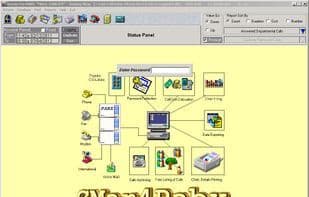
The software is designed to be user-friendly and easy to learn, with reports composed of data leaves (i.e., box icons), where summary numbers can be double-clicked to open sub-reports or call detail tables (requiring minimal data input). It offers 14 standard reports and 63 2D/3D bar chart reports, database management (users, extensions, departments, phonebook, shared lines, pricing), report printing, multi-user access protected by codes, inactivity detection that reverts to the login screen, PABX status... and more.
How to use Cmar4pabx?
CMar4Pabx is an all-in-one professional call billing software designed to connect to PABX systems, collect and manage all incoming and outgoing call data, providing comprehensive call management, accounting, and reporting features.
Core Functions of Cmar4pabx
Call Tracking
Call tracking
Usage Scenarios of Cmar4pabx
- Collect incoming and outgoing call data for PABX systems
- Generate regular reports and 2D/3D bar chart reports
- Manage database information such as users, extensions, departments, phonebooks, CO-Lines, and pricing
- Print various types of reports
- Enable multi-user access control with password protection
- Monitor PABX system status
Common Questions about Cmar4pabx
What does CMar4Pabx do?
How do I use CMar4Pabx?
What are the core features of CMar4Pabx?
What are the application scenarios of CMar4Pabx?



















