




Product Information
What is Csv2qfx?
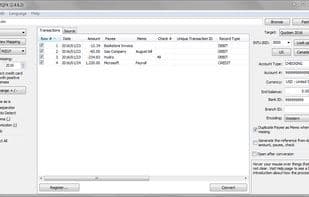
CSV2QFX is a simple utility that converts bank statements in CSV format to QFX format for compatibility with importing into Quicken or other financial applications.
How to use Csv2qfx?
CSV2QFX converts CSV-formatted bank statements into QFX and other accounting-compatible formats for importing into Quicken, QuickBooks, etc., saving time on manual data entry.
Core Functions of Csv2qfx
Portable
Usage Scenarios of Csv2qfx
- Convert CSV-format bank statements to QFX format for importing into Quicken
- Extract transaction data from PDF, Excel, or CSV files and convert it into formats compatible with accounting software like QuickBooks and Xero.
- Convert sensitive financial data locally on Windows PC or Mac without uploading to the cloud.
- Used by professionals such as accountants and bookkeepers to process clients' bank or credit card transaction files.
- Adjust payee names, categories, or assign categories based on payee names using advanced renaming rules.
- Exclude or edit any transactions during the conversion process.
Common Questions about Csv2qfx
What does CSV2QFX do?
How do I use CSV2QFX?
What are the core features of CSV2QFX?
What are the use cases for CSV2QFX?



















