




Product Information
What is Jaynish shah?
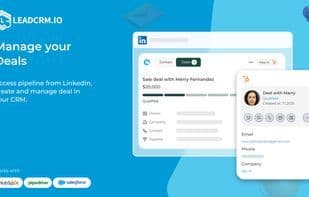
LeadCRM is the ultimate Chrome extension for LinkedIn, designed to streamline lead management and simplify your sales workflow. With powerful integrations with leading CRMs like HubSpot, Pipedrive, Salesforce, and Zoho, it enables professionals to connect LinkedIn directly to their CRM and manage leads more efficiently.
**Key Features and Benefits:**
**Seamless CRM Integration:**
Easily connect LinkedIn with popular CRMs such as HubSpot, Pipedrive, Salesforce, and Zoho.
Automated lead syncing saves time and reduces manual errors.
**Smart Lead Management:**
Collect, organize, and track leads directly from LinkedIn.
Export contact information with a single click.
**Boost Productivity:**
View and manage LinkedIn conversations directly in your CRM.
Utilize powerful tools to prioritize and follow up with leads.
**User-Friendly Interface:**
Simple, intuitive design tailored for professionals.
Easy setup and seamless integration with existing tools.
**Customizable Workflows:**
Create custom workflows that fit your sales process.
Automate routine tasks and focus on closing deals.
**Secure Data Handling:**
Advanced encryption ensures your data is always protected.
Compliant with privacy and data security regulations.
**Why Choose LeadCRM?**
- **Enhance Efficiency:** Spend less time on data entry and more on building relationships.
- **All-in-One Solution:** Consolidate your tools for a streamlined workflow.
- **Scalable:** Whether you're an individual contributor or part of a sales team, LeadCRM adapts to your needs.
Revolutionize your LinkedIn lead management and experience effortless CRM integration with LeadCRM.
How to use Jaynish shah?
LeadCRM is a Chrome extension designed to seamlessly integrate LinkedIn with major CRM systems like HubSpot, Pipedrive, Salesforce, and Zoho, streamlining lead management and optimizing sales workflows. It assists users in more efficiently collecting, organizing, and tracking potential leads.
Core Functions of Jaynish shah
Task Time Tracking
Marketing Automation
Integration with CRM systems
LinkedIn Automation
Usage Scenarios of Jaynish shah
- Automatically sync LinkedIn lead data to CRM systems.
- Collect, organize, and track leads directly from LinkedIn.
- Export LinkedIn contact information with one click.
- View and manage LinkedIn conversations directly in CRM.
- Create custom workflows to automate sales tasks.
- Boost sales team efficiency and reduce manual data entry.
Common Questions about Jaynish shah
What does LeadCRM do?
How do I use LeadCRM?
What are the core features of LeadCRM?
What are the application scenarios for LeadCRM?



















