




Product Information
What is Kanbanize?
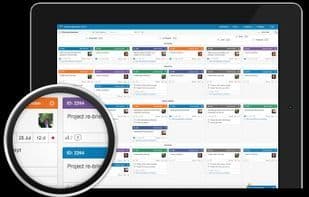
Kanbanize offers you a fresh approach to gaining visibility on every project you're working on. No longer do you need to deal with cumbersome wooden boards hanging on walls to keep you updated. With Kanbanize, you can utilize digital boards for each project that tasks are assigned to. Transitioning from one project to another is a breeze with just a few clicks of your mouse. This makes it an ideal tool for portfolio management, especially for professionals juggling numerous projects and sub-projects. Kanbanize was designed to boost productivity while seamlessly integrating user-friendliness with a painless system. Collaboration among project members is as easy as a walk in the park. Moreover, Kanbanize comes equipped with advanced tools like analytics, forecasting, cycle time, and throughput histograms. It integrates with JIRA, ConnectWise, Zapier, GitHub, Dropbox, Google Drive, and Usernap.
How to use Kanbanize?
Kanbanize offers a visual method for managing projects through digital boards, helping users easily manage multiple projects and sub-projects to enhance productivity and foster team collaboration.
Core Functions of Kanbanize
Kanban
Workflow
Workflow
Usage Scenarios of Kanbanize
- Portfolio management
- Professionals managing numerous projects and sub-projects.
- Facilitate collaboration among project members.
Common Questions about Kanbanize
What does Kanbanize do?
How do I use Kanbanize?
What are the core features of Kanbanize?
What are the application scenarios for Kanbanize?



















