




Product Information
What is Keyword analytics?
I built Keyword Analytics out of frustration with Google Search Console. I run a few small sites, and switching between properties just to check keyword rankings was wasting too much of my time.
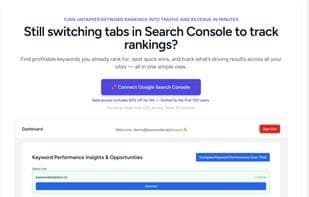
It connects to your GSC account and pulls all your keyword data—queries, pages, clicks, positions—into one simple, clean dashboard. You can see what’s rising, what’s dropping, and which keywords are worth pushing—all in one place.
No bloated SEO suite. No feature overload. Just a fast way to track rankings across all your sites, enjoy quick SEO wins, and save hours every week.
It’s in Beta now and free to use for up to 2 sites. If you’re an indie hacker, marketer, SEO agency, or running client projects, give it a try.
How to use Keyword analytics?
Keyword Analytics is a tool that connects to Google Search Console accounts, consolidating all keyword data into a concise dashboard. It helps users track keyword rankings for multiple sites in one place, discover SEO opportunities, and save time.
Core Functions of Keyword analytics
Website monitoring, SEO audit, Google Search Console integration, keyword ranking, website audit, SERP ranking
Website monitoring, SEO audit, Google Search Console integration, keyword ranking, website audit, SERP ranking
Usage Scenarios of Keyword analytics
- Independent developers managing their own website keyword rankings
- Marketers tracking keyword performance and trends
- SEO agencies managing keyword data for multiple client websites
- Manage multiple client projects and view keyword rankings in one place
- Track keyword rankings for multiple small websites without frequent GSC switching
- Quickly identify SEO optimization opportunities
Common Questions about Keyword analytics
What does Keyword Analytics do?
How do I use Keyword Analytics?
What are the core features of Keyword Analytics?
What are the application scenarios for Keyword Analytics?



















