




Product Information
What is Luna app?
The range of bills can vary widely, accommodating groups from 2 to 100 people. You have the option to allocate by quantity, divide by percentage, or distribute by shares to split the bill and track expenses.
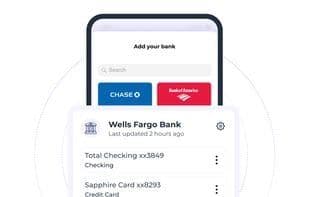
Unlike other bill-splitting apps, Luna allows you to link your bank accounts to help monitor your spending. In short, connect multiple checking accounts, debit cards, or credit cards to import your transactions directly in real time.
We currently support most banking providers in the U.S. and Canada.
How to use Luna app?
Luna App is a bill-splitting and expense-tracking application that supports dividing bills among 2 to hundreds of people, offering options to split by amount, percentage, or shares. It also allows users to link their bank accounts to import transactions in real-time for expense monitoring.
Core Functions of Luna app
Bank Integration
Automated reporting
Connect Multiple Accounts
Recurring trades
Expense Tracking
Recurring transactions
Expenditure Tracking
Usage Scenarios of Luna app
- Splitting bills after dining with friends.
- Cost-sharing for large group events (e.g., trips, parties).
- Splitting expenses based on different contribution ratios (e.g., by percentage or share).
- Connecting bank accounts to track personal or team daily expenses in real-time.
Common Questions about Luna app
What does the Luna App do?
How do I use the Luna App?
What are the core features of the Luna App?
What are the application scenarios for the Luna App?



















