




Product Information
What is Mailtrain?
List Management
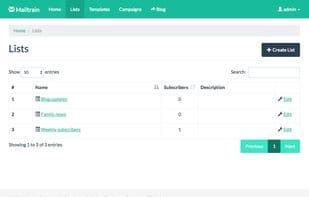
Mailtrain allows you to easily manage very large lists. Millions of subscribers? No problem. You can manually add subscribers or import them from CSV files via an API. All lists support custom fields and merge tags.
Custom Fields
Text fields, numbers, dropdowns, or checkboxes—Mailtrain has it all. Each custom field can be included in newsletters using merge tags. Mailtrain also supports custom forms.
List Segmentation
Send messages only to subscribers who meet predefined segmentation rules. No need to create separate lists with minor differences.
RSS Campaigns
Set up Mailtrain to monitor an RSS feed. When new entries are detected, Mailtrain automatically uses the entry data as message content and sends it to selected subscribers.
GPG Encryption
If a list has a custom field for GPG public keys, subscribers can upload their GPG public key to receive encrypted messages from the list.
Click Statistics
After sending a campaign, view individual click statistics for each link included in the message.
Template Editors
Mailtrain comes with two advanced template editors: Grape and Mosaico. It also offers a code editor for those who prefer crafting HTML manually.
Send via Any Provider
You can use any provider that supports the SMTP protocol to send your newsletters. SES, SparkPost, SendGrid, and Mailgun are also supported, with webhook integration for bounce and complaint handling, as well as Postfix and ZoneMTA.
Automation
Define automation triggers to send specific messages when users activate them.
How to use Mailtrain?
Mailtrain is a self-hosted email list and newsletter application offering robust list management, email sending, automation, and statistics to help users conduct email marketing efficiently.
Core Functions of Mailtrain
Auto-reply
GPG Encryption
Multilingual
Email tracking
Usage Scenarios of Mailtrain
- Manage large email lists with millions of subscribers.
- Send tailored messages to specific subscriber groups based on preset segmentation rules.
- Set up automated RSS feed tracking and send newsletters when new entries are detected.
- Allow subscribers to upload GPG public keys to receive encrypted email messages.
- After sending email campaigns, view individual click statistics for each link.
- Define automated triggers to send preset messages when users meet specific conditions.
Common Questions about Mailtrain
What does Mailtrain do?
How do I use Mailtrain?
What are the core features of Mailtrain?
What are the application scenarios for Mailtrain?



















