




Product Information
What is Mulogin antidetect browser?
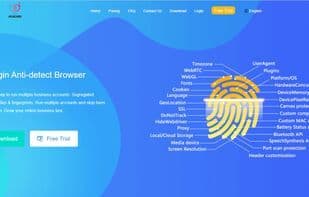
Mulogin Anti-Detection Fingerprint Browser primarily provides each account with independent fingerprint and environmental isolation, offering users the convenience to log in and manage multiple cross-border e-commerce platforms/social media/advertising marketing accounts on the same computer. It saves teams time, labor costs, account environment expenses, and enhances team collaboration efficiency. Key features include:
Multi-platform and multi-institute management;
Providing a unique and isolated browser fingerprint environment for each browser;
Multiple fingerprint protections, enabling the simultaneous opening of multiple browsers to avoid detection;
Simple browser automation;
Support for multi-user collaborative use, ensuring effective work;
Integration with popular proxy providers is supported.
How to use Mulogin antidetect browser?
MuLogin is an anti-fingerprinting browser that provides unique fingerprint and environment isolation for each account, allowing users to log in and manage multiple e-commerce, social media, and ad marketing accounts on the same computer, improving team efficiency and reducing costs.
Core Functions of Mulogin antidetect browser
Lightweight
Privacy-Focused
Block Trackers
Support for Multiple Currencies
Recurring Billing
Website Monitoring
Privacy-focused
Usage Scenarios of Mulogin antidetect browser
- Manage Multiple Cross-Border E-Commerce Platform Accounts
- Manage multiple social media accounts
- Manage Multiple Advertising and Marketing Accounts
- Securely Log In and Manage Multiple Business Accounts
- Automate Repetitive Tasks
- Collaborative Multi-User Account Management
Common Questions about Mulogin antidetect browser
What does MuLogin do?
How do I use MuLogin?
What are the core features of MuLogin?
What are the use cases for MuLogin?



















