




Product Information
What is Partsbox?
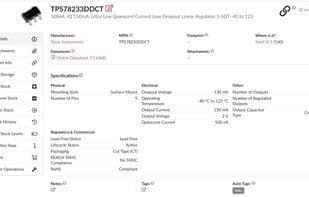
PartsBox is an online app for managing electronic parts inventory, ordering/purchasing, BOM pricing, and manufacturing. It tracks where components are stored, current stock levels, and which items/BOMs use them.
In-browser barcode scanning makes handling new parts easy—just show the barcode on the part to your computer’s camera! PartsBox also auto-prices items (BOMs), handling price breaks, currency conversion, order multiples, and more for up-to-date BOM pricing. Beyond online quotes, you can add local supplier quotes with multi-tier pricing, expiry dates, MOQs, and order multiples.
Key Features:
Parts List: See where parts are stored and current stock info.
Stock History: Historical purchase data and part values.
BOM Pricing: Items/BOMs are auto-priced using online and supplier quotes, handling price breaks, currency conversion, and order multiples.
Production: Manage complex builds involving multiple part sources, meta-parts, and batch control.
Document Management: Store part-related docs with part data for quick retrieval.
Build Management: Automatically deduct stock when building items/BOMs. PartsBox is an MRP/ERP system for electronics manufacturing.
How to use Partsbox?
PartsBox is an online application designed to comprehensively manage electronic component inventory, procurement, BOM pricing, and production, serving as a complete solution for electronics manufacturing. It tracks component storage locations, current inventory levels, and usage in projects/BOMs.
Core Functions of Partsbox
Privacy-Focused
Ad-Free
Import CSV data
No Coding Required
Support for Multiple Currencies
Production Management
No Coding Required
Usage Scenarios of Partsbox
- Hardware startups manage electronic component inventory, procurement, and production.
- Manufacturers handle BOM pricing and production management when designing, prototyping, and producing electronic devices.
- R&D departments and research labs in large companies manage electronic component inventory.
- Quickly add inventory and process new parts with built-in barcode scanning.
- Automatically price projects (BOM), handling price breaks, currency conversion, MOQs, and order multiples.
- Manage complex builds involving multi-source parts, subcomponents, and batch control.
Common Questions about Partsbox
What does PartsBox do?
How do I use PartsBox?
What are the core features of PartsBox?
What are the application scenarios for PartsBox?




















