




Product Information
What is See finance?
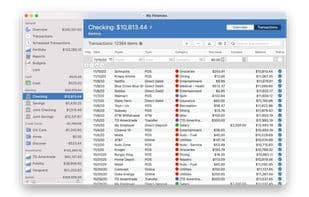
Manage all your financial accounts in one place and take control of your finances. Keep track of all financial accounts you may have, including banks, credit cards, investments, and more. Generate various customizable reports and budgets to maintain targeted spending. Monitor and track your personal investments and entire portfolio. Perform these tasks in any of over 150 available currencies, and much more.
Packed with all the options to give you complete control over your financial situation. Adjust the information displayed in transactions, increase font size, tweak almost everything, modify import settings, and generate custom reports. These are just a few of the many choices available to personalize the app for you.
Store your files on iCloud Drive and access them from your Mac, iPhone, and iPad. Designed to give users full control over their data. SEE Finance allows you to choose where to keep your data. Unlike similar programs, there's no requirement to upload your personal information to services outside your control for multi-device access. iCloud Drive enables you to access files from multiple devices, ensuring their security and keeping them under your control.
Features:
Import OFX, QFX, CSV, QIF, and QMTF files
Investment tracking
Multi-currency support
In-depth reporting
Budget monitoring
Scheduled transactions
Calendar and list views
Quick transaction entry
Split transactions
Batch edit transactions
Transaction attachments
Create multiple files
Export CSV, TXF, and QIF files
Customizable preferences
How to use See finance?
SEE Finance is a personal finance tool consolidating all financial accounts in one place, tracking investments, budgets with custom reports, and syncing securely across devices.
Core Functions of See finance
Privacy-Focused
Import CSV data
Support for Multiple Currencies
Cash Flow Analysis
Bank Integration
Available Offline
Supports offline use
Usage Scenarios of See finance
- Unified management of various financial accounts like banks, credit cards, and investments.
- Track and monitor personal investments and entire portfolios.
- Generate custom reports and budgets to control spending.
- Synchronize financial data access across Mac, iPhone, and iPad devices.
- Support over 150 different currencies for financial management.
- Import and export financial data in multiple formats.
Common Questions about See finance
What does SEE Finance do?
How do I use SEE Finance?
What are the core features of SEE Finance?
What are the use cases for SEE Finance?



















