




Product Information
What is Sendboard?
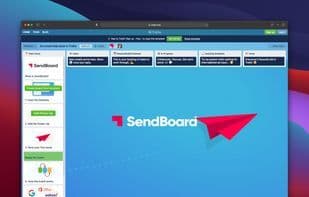
With SendBoard, you can connect Trello to a shared email address like [email protected]. Move work from your inbox into Trello.
Every team has a use case.
Email Helpdesk – Stay organized, respond faster, and keep customers happy.
Email CRM – Visualize your clients and deals as cards in Trello.
Email Workflow – Improve email processes with structured stages.
Email Automation – Use Butler to automate tasks and send emails for you.
Harness the power of Trello to help you conquer email.
Millions of teams worldwide use Trello to collaborate and get things done. The SendBoard Power-Up leverages Trello’s strength and flexibility to handle email.
Use SendBoard to engage with people outside your Trello team.
Support@ – Create an email helpdesk to manage customer/employee requests.
Accounts@ – Collaborate with clients, vendors, and team members on financial emails.
Bugs@ – Capture bug reports sent via email into Trello using forms. Reply to follow up.
Careers@ – Organize incoming resumes, discuss candidates, and respond within Trello.
Sales@ – Keep your pipeline organized in Trello. Email prospects directly from cards.
Orders@ – Receive new orders via email and track workflows in Trello. Automate with Butler.
SendBoard gives you all the power of a robust email helpdesk, right inside Trello.
📬 Send and receive emails
📝 Rich-text email editor
📎 File attachments
🌐 Custom email addresses
🖋 Email signatures
🔁 Auto-reply templates
💾 Saved reply templates
🔤 Variable substitution
🔔 Trello notifications
📅 Trello checklists and due dates
🔧 Integrated Trello custom fields
💫 Automate emails with Butler
💬 Discuss emails via comments
🔍 Search, filter, and labels
⚡ Works with other Power-Ups
📱 Available on the Trello mobile app
Add the SendBoard Power-Up to start sending and receiving emails in Trello. Use a free SendBoard email address or connect your own custom email address.
How to use Sendboard?
Sendboard is a Trello plugin that connects shared inboxes to Trello, enabling teams to send and receive emails within Trello, thereby facilitating email collaboration and workflow management.
Core Functions of Sendboard
Email automation
Usage Scenarios of Sendboard
- As an email helpdesk, manage customer or employee requests, stay organized, and respond quickly.
- As an email CRM, visualize customers and deals in Trello.
- Optimize email workflows by improving email processing through structured work stages.
- Automate email tasks, such as sending emails automatically using Butler.
- Manage the recruitment process, organize received resumes, discuss candidates, and respond from within Trello.
- Process orders, receive new orders, and track workflows via Trello.
Common Questions about Sendboard
What does Sendboard do?
How do I use Sendboard?
What are the core features of Sendboard?
What are the use cases for Sendboard?



















