




Product Information
What is Smart receipts?
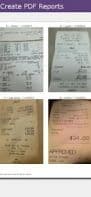
Turn your phone into a receipt scanner and expense report generator with Smart Receipts! No registration required. Simply take photos of your receipts at the end of each week, and it will send you PDF and CSV files. Smart Receipts tracks the data received and allows you to generate PDF and CSV reports that can be shared via your email account. The PDF reports are neatly listed for enhanced readability and a professional appearance.
By leveraging the customization features included in this app, you can save hours when submitting business expense reports at the end of each week. Features include:
■ Optimized for speed and ease of use
✔ Flexible receipt reporting
✔ Use the Smart Receipts camera or one of your choice
✔ Expense report price tracking
✔ Built-in support for multiple currencies
✔ Generate expense reports as PDF files or CSV files for Excel
✔ Fully customizable CSV output to meet your needs
✔ Smart category predictions based on time of day
✔ Fully customizable receipt categories (e.g., lunch, dinner, etc.)
✔ Battery efficient
The app currently does not support OCR (automatic entry of receipt fields), but this feature is planned for a future release.
How to use Smart receipts?
Smart Receipts scans receipts and generates customizable PDF/CSV expense reports, streamlining business expense submissions.
Core Functions of Smart receipts
In-app purchases
Scanner
Usage Scenarios of Smart receipts
- Scan paper receipts
- Generate expense reports
- Submit business expense reports
- Track personal expenses
Common Questions about Smart receipts
What does Smart Receipts do?
How do I use Smart Receipts?
What are the core features of Smart Receipts?
What are the application scenarios for Smart Receipts?



















