
Product Information
What is Sysprof?
Find and fix performance issues.
Container Support Sysprof knows how to introspect rootless Podman and Flatpak containers.
This means if you have the appropriate debug symbols installed in these containers, Sysprof will show you high-quality symbol names in the call stack.
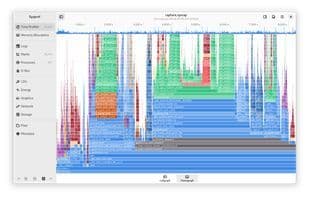
Callgraphs and Flame Graphs Sysprof can display your call stacks in the form of traditional call graphs or flame graphs.
If your recording contains truncated stack traces, use the bottom-up feature to merge stack frames at the leaves.
Platform Integration
Many GNOME platform libraries include support for Sysprof, which can annotate your recordings with useful information.
GLib can export main loop runtime information. GTK will give you frame clock timing, etc. The GNOME Shell compositor can also provide information about GPU hardware and frame composition!
Libraries like Pango and GtkSourceView also provide Sysprof integration.
Application Extensibility
Use the Sysprof-capture-4.a static library in your own application to supplement recorded information with markers, counters, metadata, files, and more!
D-Bus Monitoring Sysprof can record system and user session D-Bus. This allows you to view and search message content to understand what's happening.
Use message timing information to understand what code was running when messages were sent!
System Counters and Logs
Use integrated counters for CPU, energy usage, graphics, network devices, and storage devices to track when specific issues occur.
Systems with journald can automatically forward their logs to the recording.
Scheduler Quanta Sysprof can record scheduler information for you, such as how long each process ran on each CPU.
Use this to track latency and thread issues that hinder application performance.
How to use Sysprof?
Sysprof is a performance profiling tool designed to help developers find and fix performance issues in applications by providing detailed call stacks, system resources, and scheduler information to optimize performance.
Core Functions of Sysprof
Ad-Free
No Registration Required
Available Offline
Employee Performance Management
Performance Monitoring
Usage Scenarios of Sysprof
- Find and fix performance issues in applications.
- Analyze the performance of Podman and Flatpak containerized applications.
- Visualize function call stacks with call graphs and flame graphs.
- Monitor D-Bus message content and timing to understand system events.
- Track performance counters for CPU, energy, graphics, network, and storage devices.
- Identify delays and thread issues that degrade application performance.
Common Questions about Sysprof
What does Sysprof do?
How do I use Sysprof?
What are the core features of Sysprof?
What are the use cases for Sysprof?