




Product Information
What is Bandwidthd?
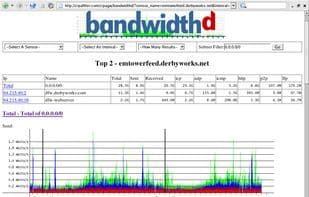
BandwidthD tracks TCP/IP network subnet usage and builds HTML files with charts to display utilization. Charts are built by individual IPs and default to showing utilization over 2-day, 8-day, 40-day, and 400-day periods. Additionally, usage per IP address can be logged every 3.3 minutes, 10 minutes, 1 hour, or 12 hours in cdf format or logged to a backend database server. HTTP, TCP, UDP, ICMP, VPN, and P2P traffic are color-coded.
How to use Bandwidthd?
BandwidthD tracks TCP/IP network subnet usage and generates HTML files with charts to display utilization, helping users visualize and monitor network traffic.
Core Functions of Bandwidthd
Charts, Statistics
Usage Scenarios of Bandwidthd
- Monitor traffic usage of TCP/IP network subnets.
- Generate chart reports of network utilization.
- View traffic statistics by individual IP address.
- Analyze network utilization trends over different periods (e.g., 2 days, 8 days, 40 days, 400 days).
- Log traffic data of IP addresses to CDF files or backend databases.
- Distinguish between different types of network traffic (e.g., HTTP, TCP, UDP, ICMP, VPN, P2P).
Common Questions about Bandwidthd
What does BandwidthD do?
How do I use BandwidthD?
What are the core features of BandwidthD?
What are the use cases for BandwidthD?


















