




Product Information
What is Buffer editor?
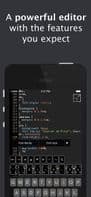
Buffer Editor is a powerful code and text editor that enables you to easily develop software, review code, or take notes anytime, anywhere. It allows you to connect to various remote services, including Dropbox, SSH, SFTP, and FTP servers.
Turn your iOS device into a tool and get the job done.
Features:
• Universal app for iPhone, iPad, iPad Pro, and iPod touch
• Ultra-fast user interface
• Split view and slide-over support
• Connect to Dropbox, SFTP, SSH, and FTP servers
• Syntax highlighting and code auto-completion (ASP, AWK, ActionScript, Ada, Arduino, Bash (Unix shell), C, C++, C#, Cobol, CSS, D, F#, Go, Haskell, HTML(4&5), INI, Java, Javascript, LaTeX, (Common) Lisp, Lua, MATLAB, NSIS, Objective-C, Pascal, Perl, PHP, Progress, Puppet, Python, R, Ruby, SQL, Visual Basic, x86 ASM, XML)
• Extended keyboard
• Vim encoding support (don’t use it if not needed.)
• Upload/download
• Search/replace
• Undo/redo
• Unicode support
• Bluetooth keyboard support (compatible with all iOS shortcuts)
• Preview any file supported by iOS, including images, PDFs, videos, and documents
• iOS "Open In" support, from Buffer Editor to other apps – and vice versa
• Customizable fonts and font sizes
• Multiple themes (Candy, Dante, Dark Blue, Default, Desert, Github, Inkpot, Jellybeans, Mac Classic, Monokai, Solarized Dark, Solarized Light, Wombat, Xcode)
• Email files
• File search
How to use Buffer editor?
Buffer Editor is a powerful code and text editor designed for iOS devices, helping users develop software, review code, or take notes on the go, with support for connecting to various remote services.
Core Functions of Buffer editor
Syntax Highlighting
Usage Scenarios of Buffer editor
- Software development on iOS devices
- Review code anytime, anywhere
- Take notes or write
- Manage and edit code and text files
- Connect to remote services (e.g., Dropbox, SSH, SFTP, FTP, BitBucket, Github, GitLab, Custom Git, iCloud, Google Drive) for file operations
- A professional tool for iOS developers and writers
Common Questions about Buffer editor
What does Buffer Editor do?
How do I use Buffer Editor?
What are the core features of Buffer Editor?
What are the use cases for Buffer Editor?




















