




Product Information
What is Codelime?
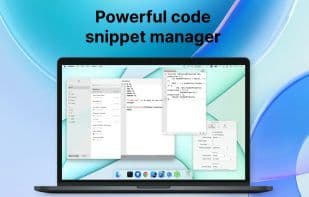
Codelime is a native, cross-platform code snippet manager packed with numerous development tools for iOS development. It's versatile, running seamlessly on Mac, iPhone, and iPad.
Native first. Built with native Swift code, Codelime delivers an authentic platform experience.
Privacy-focused. It operates offline, keeping your data on your device with all logic processed locally.
Data is stored locally and synced via iCloud
A continuously expanding suite of development tools
Code Snippet Editing
A battle-tested editor supporting over 110 languages and 20 themes for both light and dark modes
Advanced settings for adjusting font size, line numbers, themes, and word wrap
Name your snippets and add notes
Exceptional syntax highlighting
Organize snippets into folders and tags
Customize tag names and colors
Personalize folders with names and default languages
Create nested folders
Support for GitHub markdown and markdown preview
Share snippets
Get summaries on line count, characters, and words in snippets
Back up all snippets anytime
Enable iCloud sync to keep snippets updated across Mac, iPhone, and iPad devices
Quickly search snippets by name, tags, or content
Status menu bar mode. Easily create and save snippets right from the menu bar.
Development Tools
A growing list of 7+ development tools focused on iOS development
Base64 encoding and decoding
Hashing with many popular hash functions
URL encoding and decoding
Generate AppIcon sets for asset catalogs
Create models from JSON
Convert text to various cases
Transform numbers between different bases
For more details, visit https://indiegoodies.com/Codelime
Terms of Use: https://indiegoodies.com/Codelime/terms
How to use Codelime?
Codelime is a native cross-platform code snippet manager specifically designed for iOS development, offering various utility tools to help developers efficiently manage code snippets and assist in daily development tasks.
Core Functions of Codelime
Offline work, code snippet manager
Usage Scenarios of Codelime
- Organize and manage code snippets into folders and tags
- Quickly search and locate needed code snippets
- Conveniently create and save snippets from the menu bar
- Perform Base64, URL encoding/decoding, or hash calculations
- Generate models from JSON data
- Create AppIcon asset catalogs for iOS apps
Common Questions about Codelime
What does Codelime do?
How do I use Codelime?
What are the core features of Codelime?
What are the use cases for Codelime?




















