




Product Information
What is Composite?
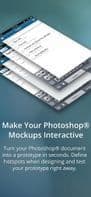
Automatically connect to your Photoshop documents and use layer comps to transform your models into interactive prototypes, organizing the document into screens. Define hotspots within the names of layers you want to be clickable to transition between them.
How to use Composite?
Composite automatically links to Photoshop documents, converting design mockups into interactive prototypes by organizing screens and defining transitions through layer compositions and hotspots.
Core Functions of Composite
Prototyping
UI design
Usage Scenarios of Composite
- Convert Photoshop designs into interactive prototypes.
- Use Photoshop layer compositions to organize different screens in prototypes.
- Define clickable areas (hotspots) in prototypes for navigation and interaction between screens.
- Quickly create and demonstrate Photoshop-based design prototypes.
Common Questions about Composite
What does Composite do?
How do I use Composite?
What are the core features of Composite?
What are the use cases for Composite?


















