




Product Information
What is Conky?
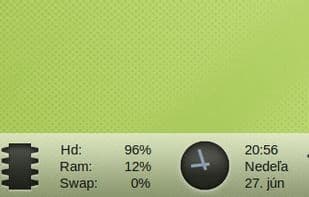
Conky is a free, lightweight X system monitor that displays any type of information on your desktop. Conky originally forked from Torsmo and is based on Torsmo’s BSD-licensed code. New code in Conky is licensed under GPL 3.0.
Since its inception, Conky has evolved significantly from its predecessor while maintaining simplicity and configurability. Conky can display almost anything, whether on your root desktop or in its own window. With over 300 built-in objects and support for scripts and external programs, Conky can show almost any information.
Features:
Extensive OS stats (uname, uptime, CPU usage, memory usage, disk usage, 'top' process stats, and network monitoring, to name a few).
Built-in IMAP and POP3 support.
Built-in support for many popular music players (MPD, XMMS2, BMPx, Audacious).
Extensible via built-in Lua support or your own scripts and programs.
Built-in Imlib2 and Cairo bindings for arbitrary drawing with Lua.
...and much more.
How to use Conky?
Conky is a free, lightweight system monitor that displays various system metrics on the desktop with high configurability.
Core Functions of Conky
Lightweight
Performance monitoring
Hardware Monitoring
Command Line Interface
Geek
Uptime Monitoring
Usage Scenarios of Conky
- Display operating system statistics on the desktop, such as CPU usage, memory consumption, and network activity.
- Monitor IMAP and POP3 mailbox status.
- Show playback information from popular music players like MPD and XMMS2.
- Extend functionality via Lua scripts or external programs to display custom information.
- Showcase any information on the desktop or in a standalone window.
- Perform system monitoring and information display on systems like MXLinux.
Common Questions about Conky
What does Conky do?
How do I use Conky?
What are the core features of Conky?
What are the use cases for Conky?



















