




Product Information
What is Crontool?
Sometimes, even a single cron can be hard to visualize over several months. This tool is designed to give you peace of mind, rather than waiting weeks to discover that something isn't quite right.
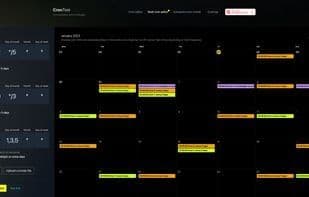
Despite its simplicity, cron can become quite complex for many common use cases. Not anymore! We now have a multi-cron view that merges any number of crons into a single calendar—you can even upload an entire cron file!
Compared to other similar tools, this one supports both standard cron (Linux users—vixie) and modern extended cron expressions, so you might find it in newer cron implementations or cloud services like AWS Lambda, CloudWatch, and more.
This includes:
- Optional support for seconds and years
- Support for L, W, and LW values
- Support for the ? value
- Support for the # value
- More help and documentation for beginners, including Q&A with examples for multiple crons
- Support for marking and debugging multiple crons simultaneously in the calendar
How to use Crontool?
CronTool is an online Cron expression editor and debugger, visualizing and managing scheduled tasks with calendar views.
Core Functions of Crontool
Web-Based
Usage Scenarios of Crontool
- Automate system maintenance or management tasks.
- Regularly download files or emails.
- Schedule API calls to send emails, generate reports, and schedule maintenance jobs.
- Write Cron tasks for cloud services like AWS Lambda, CloudWatch, or Vercel.
- Share Cron tasks with team members.
Common Questions about Crontool
What does CronTool do?
How do I use CronTool?
What are the core features of CronTool?
What are the use cases for CronTool?



















