




Product Information
What is Dash for macos?
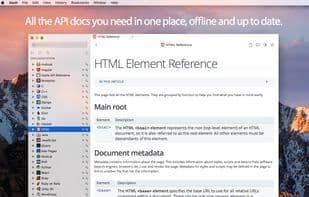
Dash is an API documentation browser and snippet manager. Dash stores snippets of code and instantly searches offline documentation sets for nearly any API you might use. You can even generate your own documentation sets or request to have them included.
**Documentation Browser Features:**
• Over 150 offline documentation sets
• Download documentation sets from CocoaDocs.org, RubyGems.org, Maven.org (Java and Scala), Packagist.org (PHP), and GoDoc.org
• Supports documentation sets generated by popular tools like Appledoc and Doxygen
• Methods conveniently displayed in a dedicated table of contents
• Highlighted in-page search
• Bookmark frequently used documentation pages
• Create search profiles to easily switch between documentation sets
• Easily search specific documentation sets by defining keyword filters (e.g., start a query with "python:" to search only Python docs)
• Integrated plugins: Xcode, Alfred, Quicksilver, LaunchBar, Coda, Espresso, PopClip, Sublime Text, Atom, Chocolat, Emacs, Vim, BBEdit, TextWrangler, TextMate, Eclipse, AppCode, Android Studio, IntelliJ IDEA, RubyMine, WebStorm, PhpStorm, PyCharm, Terminal, AppleScript
• Seamless integration with any other app using the "dash://" URL scheme or the "Look up in Dash" system service
• Fuzzy search—don’t let typos slow you down
• Built for speed—searches are nearly instantaneous
**Snippet Manager Features:**
• Collect frequently reused code snippets
• Sync your library via Dropbox
• Syntax highlighting for over 80 languages
• Edit variable placeholders before pasting
• Abbreviations expand wherever you type them
**Special Snippet Placeholders:**
• `@clipboard` expands to clipboard contents
• `@cursor` repositions the cursor after expansion
• `@date` expands to the current date
• `@time` expands to the current time
How to use Dash for macos?
Dash for macOS is an API documentation browser and code snippet manager that offers instant offline access to a vast collection of API documentation and allows for the storage and organization of frequently used code snippets.
Core Functions of Dash for macos
Work Offline
Syntax Highlighting
Sync with Dropbox
Code Snippet Manager
Text expansion
Programmer documentation
Usage Scenarios of Dash for macos
- Quickly Search Over 200 Offline API Documentation Sets
- Collect and Manage Commonly Used Code Snippets
- Search Specific Documents by Keyword Filtering (e.g., 'python:')
- Sync Code Snippet Library to Dropbox
- Integrate with Various Development Tools Like Xcode and Sublime Text
- Generate Custom Documentation Sets
Common Questions about Dash for macos
What does Dash for macOS do?
How do I use Dash for macOS?
What are the core features of Dash for macOS?
What are the use cases for Dash on macOS?




















