




Product Information
What is Dashcam?
Add context to your code.
Use async video for review, documentation, and debugging within engineering teams.
Eliminate back-and-forth.
No need to wait for someone to request logs. Dashcam includes debug info from any browser, log file, or CLI synced with desktop replay.
Become a bug-hunting machine.
Stop wasting time reproducing issues. Catch every bug with error detection and instant replay, every time.
Deliver flawless software.
Create perfect bug reports to close issues faster than ever. Dashcam makes it easy to record and share bugs with your team.
How to use Dashcam?
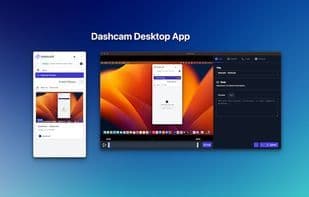
Dashcam is a screen recording tool designed for developers, adding context to code through asynchronous videos. It assists engineering teams in code reviews, documentation writing, and debugging, thereby enhancing efficiency and accelerating problem-solving.
Core Functions of Dashcam
Lightweight, works offline, dark mode, end-to-end encryption, screen recording, debugging
Usage Scenarios of Dashcam
- Conduct Code Reviews and Documentation Writing
- Asynchronous Video Debugging Across Engineering Teams
- Capture and Reproduce Software Defects
- Create Detailed Error Reports
- Perform Manual and Automated Software Testing
- Share Local Development Previews to Shorten Feedback Cycles
Common Questions about Dashcam
What does a dashcam do?
How do I use a Dashcam?
What are the core features of a dashcam?
What are the application scenarios for dashcams?



















