




Product Information
What is Dhcp server for windows?
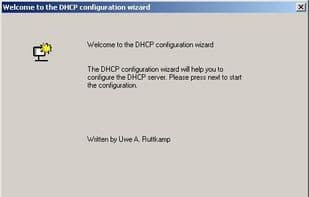
The DHCP server assigns IP addresses to client computers. This is commonly used in corporate networks to reduce configuration efforts. All IP addresses for all computers are stored in a database on the server machine.
This is a very simple and easy-to-use implementation based on the DHCP Server for Windows system, supporting all Windows operating systems from Windows 98 to Windows 11.
Configuration data and the client "database" are saved in INI files. Please refer to the INI file instructions. The DHCP server is ready to run immediately without any installation as a service or application.
All older versions of the DHCP server are free software and can be used completely free of charge for both academic and commercial purposes, as well as redistributed. There are no royalties or GNU-like "copyleft" restrictions. There are no requirements when using the software, such as including copyright information or logos. The latest software, starting from version 2.6, is available for download after a donation.
How to use Dhcp server for windows?
DHCP Server for Windows is a tool that automatically assigns IP addresses to client computers, reducing configuration workload in corporate networks and providing an easy-to-use DHCP server implementation for Windows systems.
Core Functions of Dhcp server for windows
DHCP Server
No Installation Required
Network Tools
Usage Scenarios of Dhcp server for windows
- Automatically assign IP addresses to client computers in a corporate network.
- Reduce network configuration workload.
- Deploy DHCP services on Windows systems from Windows 98 to Windows 11.
- Centrally store IP addresses of all computers in a server database.
- (Legacy version) For academic and commercial purposes.
Common Questions about Dhcp server for windows
What does DHCP Server for Windows do?
How do I use DHCP Server for Windows?
What are the core features of DHCP Server for Windows?
What are the use cases for DHCP Server for Windows?



















