




Product Information
What is Drawdb?
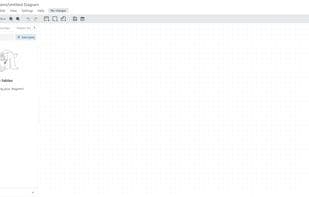
drawDB is a powerful and user-friendly Database Entity Relationship (DBER) editor in the browser. Build diagrams, export SQL scripts, customize the editor, and more with just a few clicks—no account creation required.
Why drawDB?
Free: drawDB is completely free.
No Sign-Up: No registration or login needed. Just dive into development.
Easy to Use: Intuitive design for effortless navigation.
Here’s what drawDB offers
Export: Generate DDL scripts to run on your database or export diagrams as JSON or images.
Import: Already have a diagram? Import DDL scripts*, JSON files, or existing diagrams to build upon.
Customizable Workspace: Tailor the UI to your preferences. Choose the components you need in your view.
Keyboard Shortcuts: Speed up development with keyboard shortcuts. Check out all available shortcuts here.
Templates: Start with pre-built templates for a quick launch or design inspiration.
Custom Templates: Have a boilerplate structure? Save time by storing them as templates and loading them when needed.
Powerful Editor: Undo, redo, copy, paste, duplicate, and more. Add tables, subject areas, and notes.
Issue Detection: Identify and resolve errors in your diagram to ensure script accuracy.
Relational Databases: Supports 5 relational databases—MySQL, PostgreSQL, SQLite, MariaDB, SQL Server.
Object-Relational Databases: Add custom types for object-relational databases or create custom JSON schemas and alias types.
Presentation Mode: Showcase your diagrams on a big screen during team meetings and discussions.
Track To-Dos: Monitor tasks and mark them as complete when finished.
How to use Drawdb?
drawDB is a free, simple, and intuitive online database entity-relationship (DBER) editor and SQL generation tool. Users can design database diagrams, export SQL scripts, and customize workspaces in their browsers without registration.
Core Functions of Drawdb
No Registration Required
SQLite
Database management tool
Database Designer
Support MariaDB
Custom Templates
Usage Scenarios of Drawdb
- Design and build database entity-relationship diagrams.
- Export designed diagrams as SQL DDL scripts, JSON files, or images.
- Import existing DDL scripts or JSON files to generate diagrams.
- Present database diagrams during team meetings and discussions.
- Quickly start database design using preset or custom templates.
Common Questions about Drawdb
What does drawDB do?
How do I use drawDB?
What are the core features of drawDB?
What are the use cases for drawDB?


















