
Product Information
What is Edit?
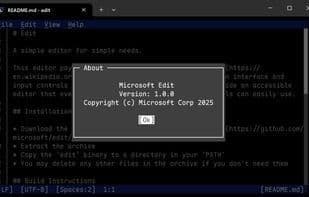
A simple editor for basic needs.
This editor pays homage to the classic MS-DOS editor but features a modern interface and input controls similar to Visual Studio Code.
Edit on Windows is Microsoft's open-source project that enables developers to edit files directly in the command line, much like Vim, without switching to other applications or windows. Edit is compact and lightweight, with a size of less than 250KB. All menu options in Edit have key bindings, and you can use the Ctrl + P shortcut to open multiple files and switch between them.
How to use Edit?
Edit is an open-source command-line editor by Microsoft, offering a lightweight tool for direct file editing in the command line without app switching, blending classic MS-DOS Editor style with modern UI.
Core Functions of Edit
Lightweight
Command Line Interface
Vi Key Bindings
Simple Text Editor
Built-in code editor
Usage Scenarios of Edit
- Edit files directly in the command line
- Developers modify files without leaving the command-line interface
- Open and switch between multiple files for editing
Common Questions about Edit
What does Edit do?
How do I use Edit?
What are the core features of Edit?
What are the application scenarios for Edit?