



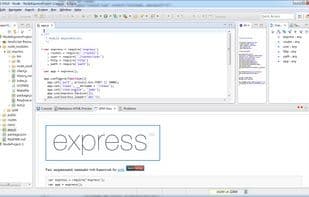

Product Information
What is Enide studio?
A toolkit for Node.js, JavaScript, Java, and Eclipse plugin development.
Included plugins are:
Nodeclipse
Chrome Developer Tools, with fixes for debugging Node.js
MarkDown (*.md) Editor
GitHub Flavored Markdown (GFM) Viewer
Eclipse 4.x Chrome Theme
Dark Moonrise UI Theme
JSHint Eclipse Integration
REST Client Tool
Launch Explorer
Git Plugin
Nodeclipse Plugin List
Maven (install m2e if needed)
Gradle (install Eclipse's Gradle Integration if needed)
Minimalist Gradle Editor
And of course, the standard Eclipse JDT, JSDT, EGit
How to use Enide studio?
Enide Studio is a toolkit for Node.js, JavaScript, Java, and Eclipse plugin development, offering an easy-to-use IDE for Node.js developers.
Core Functions of Enide studio
Git support
Usage Scenarios of Enide studio
- Node.js development
- JavaScript development
- Java development
- Eclipse plugin development
- Debug Node.js applications
- Edit and view Markdown files
Common Questions about Enide studio
What does Enide Studio do?
How do I use Enide Studio?
What are the core features of Enide Studio?
What are the application scenarios for Enide Studio?



















