




Product Information
What is Gapplin?
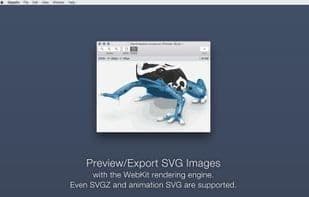
Gapplin is an SVG image viewer/converter.
This application is particularly suited for designers working with SVG images in their projects. Beyond editing in a text editor, it serves as the perfect real-time previewer for SVG images using Gapplin. You can also process multiple SVG files using AppleScript or the bundled Automator actions. Of course, you can always use it as a simple viewer.
▪ Key Features
SVGZ Preview
Animated SVG Preview
Export to PNG/TIFF/PDF with Alpha Channel
WebKit Rendering Engine
Auto-Redraw
Background Color Toggle
Quick Look Support for SVG/SVGZ Files
AppleScript/Automator Support
Open the displayed SVG file in your preferred editor
How to use Gapplin?
Gapplin is an SVG image viewer and converter designed for macOS, offering real-time previews for designers to instantly see effects while editing SVG images, with support for exporting and batch processing.
Core Functions of Gapplin
SVG to PNG, Webkit engine-based
Usage Scenarios of Gapplin
- As a real-time SVG image previewer next to a text editor, the view refreshes automatically during editing.
- Use AppleScript or Automator to batch process multiple SVG files.
- As a simple SVG/SVGZ image viewer.
- Preview SVG/SVGZ files in Finder via Quick Look.
- Export SVG images to PNG/TIFF/PDF formats with alpha channel support.
Common Questions about Gapplin
What does Gapplin do?
How do I use Gapplin?
What are the core features of Gapplin?
What are the application scenarios for Gapplin?




















