
Product Information
What is Google chrome developer tools?
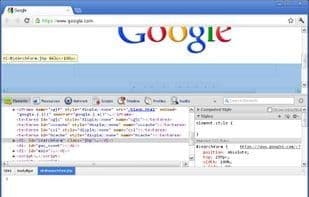
Google Chrome Developer Tools provides an integrated environment for debugging, optimizing, and understanding web applications or websites running in Google Chrome. The developer tools are partially developed through the WebKit open-source project, where these tools are referred to as Web Inspector.
Here are some actions you can perform with Chrome Developer Tools:
- Edit the DOM and CSS in real-time to take control of your webpage's appearance.
- Debug JavaScript using a graphical debugger with advanced breakpoint support.
- Analyze the execution time of all functions to enhance your application's speed.
- Track reflows and repaints as your application loads.
- Explore the contents stored in HTML5 local storage databases.
How to use Google chrome developer tools?
Google Chrome Developer Tools provides an integrated environment for debugging, optimizing, and understanding web applications or websites running in Google Chrome. It aims to help developers more easily access and understand web development, mastering webpage appearance and improving app performance.
Core Functions of Google chrome developer tools
Web debugging
HTTPS Support
Javascript Support
Web Inspector
Usage Scenarios of Google chrome developer tools
- Edit DOM and CSS in real time to master webpage appearance.
- Debug JavaScript with a graphical debugger, supporting advanced breakpoints.
- Analyze execution times of all functions to improve application speed.
- Track reflows and repaints during application loading.
- Explore content stored in HTML5 local storage databases.
- Understand HTML and CSS, as well as general web development.
Common Questions about Google chrome developer tools
What does Google Chrome Developer Tools do?
How do I use Google Chrome Developer Tools?
What are the core features of Google Chrome Developer Tools?
What are the use cases for Google Chrome Developer Tools?