




Product Information
What is Lazydocker?
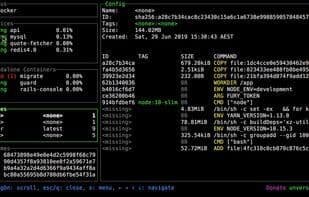
Remembering docker commands is hard. Remembering aliases is slightly easier. Keeping track of containers across multiple terminal windows is nearly impossible. What if you had all the information you needed in one terminal window, and every common command was just a keypress away (with the ability to add custom commands too)? Lazydocker aims to make that dream a reality.
How to use Lazydocker?
Lazydocker provides a simple terminal UI for managing Docker and Docker Compose, simplifying Docker command memorization and multi-terminal container tracking. It consolidates all necessary info in one terminal window, supports one-click execution of common commands, and allows adding custom commands.
Core Functions of Lazydocker
Graphical user interface with Docker support
Usage Scenarios of Lazydocker
- When users struggle to remember complex Docker commands.
- When needing to centrally view and manage all Docker container information in a single terminal window.
- When needing to quickly execute common Docker operations like start, stop, or view logs.
- When needing to customize Docker commands to fit specific workflows.
- When tracking Docker container status across multiple terminal windows becomes difficult.
Common Questions about Lazydocker
What does Lazydocker do?
How do I use Lazydocker?
What are the core features of Lazydocker?
What are the use cases for Lazydocker?




















