




Product Information
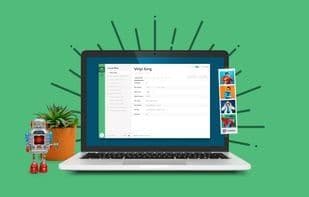
What is Local by flywheel?
Stop debugging local environments and spend more time launching WordPress sites.
Speed and Simplicity
Flywheel is fast and feature-rich, and we've brought those capabilities into the world's smoothest local WordPress development application.
Simple Demo URLs
Showcase your latest work! Create shareable URLs to demo your local WordPress site to clients, collaborators, friends, or admirers.
SSH + WP-CLI Access
Local by Flywheel provides easy root SSH access to individual sites, so you can make changes as needed.
One-Click WordPress Installation
Local by Flywheel makes creating a local WordPress site a breeze, so you don’t have to worry about setting it up yourself!
Hassle-Free Local SSL Support
Any site created with Local by Flywheel automatically generates a self-signed certificate. Green lock achieved!
Flexible Environment Options
Hot-swap between NGINX or Apache 2.4, or switch between PHP versions. Everything keeps running smoothly!
How to use Local by flywheel?
Local by Flywheel offers a local development environment with a user-friendly graphical interface, designed to streamline the WordPress site development process locally. It helps developers cut down on debugging time and focus more on website deployment.
Core Functions of Local by flywheel
Easy to use
Usage Scenarios of Local by flywheel
- Develop WordPress Websites on a Local Computer
- Create Shareable URLs to Demo Local WordPress Sites to Clients, Collaborators, or Friends
- Access via SSH and WP-CLI for Advanced Development and Testing
- Flexibly Switch Between Nginx/Apache Servers or PHP Versions for Environment Testing
- Push Local WordPress Sites to Flywheel or WP Engine for Launch
- Back Up Website Files to Cloud Storage Like Google Drive or Dropbox
Common Questions about Local by flywheel
What does Local by Flywheel do?
How do I use Local by Flywheel?
What are the core features of Local by Flywheel?
What are the use cases for Local by Flywheel?



















