
Product Information
What is Logdy?
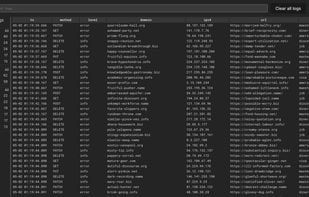
Enhance terminal logs with a web browser UI and low-code (TypeScript snippets). Save 90% of the time spent searching and browsing logs. It's like combining jq, tail, less, grep, and awk into one, delivered in a clean UI. Self-hosted, single binary.
100% Secure: No data leaves the host; all processing is done on the machine.
Self-hosted, single binary: Download the binary and run it locally—batteries included.
Supports any format: Whether it's text, JSON, or anything else. If you can parse it, you can use it.
Low-code: TypeScript log parsers—an alternative to awk: Define rules for parsing logs in TypeScript right in your web browser.
Powerful auto-generated UI: Alternatives to grep, sed, jq—facet filters, full-text search, detail drawers, and more.
Instant and real-time: A tail -f—alternative: Logs appear in the UI as soon as they're generated, with zero delay, right in your browser.
How to use Logdy?
Logdy enhances terminal logs through a web browser interface and low-code (TypeScript snippets), aiming to help users save 90% of the time spent on log searching and browsing, while offering integrated functionalities similar to jq, tail, less, grep, and awk.
Core Functions of Logdy
Dark Mode
Ad-Free
Usage Scenarios of Logdy
- View terminal log files in real-time
- Parse and filter logs in a web browser
- Define log parsing rules with low-code (TypeScript)
- Faceted filtering and full-text search of logs
- Embed log viewing functionality into Go language applications
- Monitor real-time log output
Common Questions about Logdy
What does Logdy do?
How do I use Logdy?
What are the core features of Logdy?
What are the application scenarios for Logdy?