




Product Information
What is Lt browser?
With LT Browser, you can view the mobile version of your website across different screen sizes and resolutions. With over 50 devices to choose from, mobile website testing becomes incredibly easy. Use LT Browser to ensure your site is mobile-responsive. You can create and save your own custom devices for future use. Design new mobile, tablet, or desktop devices, test websites across various devices and screen resolutions, and conduct screen resolution tests on different screen sizes.
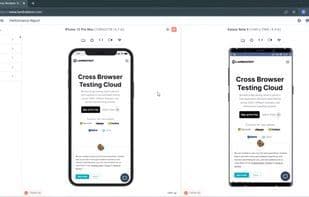
No need to switch between two devices for mobile website testing. LT Browser allows you to test on two devices simultaneously, perform mobile website tests across different tablets and desktops, and inspect websites at various resolutions all at once. LT Browser comes equipped with developer tools to debug multiple devices while conducting responsive tests. Utilize individual developer tools for each device to test websites concurrently across a range of devices.
How to use Lt browser?
LT Browser is a next-generation browser designed for developers to build, test, and debug responsive websites. It allows users to view mobile versions of websites in real-time across 50+ device profiles and debug them to ensure responsiveness across different screen sizes and resolutions.
Core Functions of Lt browser
User-friendly, scroll sync, multi-device support, cross-browser testing, cloud sync, third-party integrations
Usage Scenarios of Lt browser
- E-commerce companies test websites on latest mobile viewports to ensure UX.
- Web designers showcase progress to clients, improving transparency with viewport snapshots.
- Teams perform responsive testing to ensure flawless UI across viewports.
- Test local URL paths and integrate with tools like JIRA for streamlined communication.
- Test client websites on large resolutions with custom device options.
- Compare two devices side-by-side for instant local testing with real-time debug updates.
Common Questions about Lt browser
What does LT Browser do?
How do I use LT Browser?
What are the core features of LT Browser?
What are the use cases for LT Browser?


















