




Product Information
What is Memu?
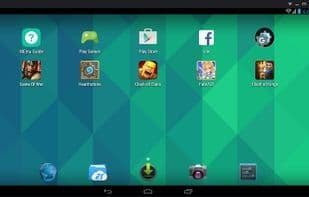
MEmu offers the highest performance and greatest compatibility compared to other Android emulators. It runs smoothly on almost all Windows devices (PCs, laptops, 2-in-1s, tablets).
**Most Feature-Rich:**
- Full Android experience with an elegant desktop interface
- Flexible customization (CPU#, memory size, resolution, device model, navigation bar position, root mode, etc.)
- Keyboard/joystick mapping to screen touches for superior gaming control
- Sensor data transmission (e.g., accelerometer) to Android, allowing intuitive gameplay like racing
- GPS location simulation
- File sharing between Windows and Android
- Quick APK installation via drag-and-drop
- One-click creation/cloning/deletion of Android systems, supporting multiple Android instances running simultaneously
**With MEmu, you can:**
- Play Android games on your PC effortlessly
- Chat more conveniently on apps like WhatsApp and WeChat using a keyboard
- Stream live shows and TV channels seamlessly
How to use Memu?
MEmu is a high-performance, highly compatible Android emulator for Windows, delivering a full Android experience for gaming and apps on PC.
Core Functions of Memu
Lightweight
Virtualization
Workflow Automation
Usage Scenarios of Memu
- Playing Android games on a computer
- Chat more efficiently on WhatsApp, WeChat, etc., using keyboards
- Watch live streams and TV channels
- Run multiple Android instances simultaneously, e.g., for gaming alts
- Experience full Android on PC with flexible customization
Common Questions about Memu
What does MEmu do?
How do I use MEmu?
What are the core features of MEmu?
What are the application scenarios of MEmu?



















