




Product Information
What is Mixed reality link?
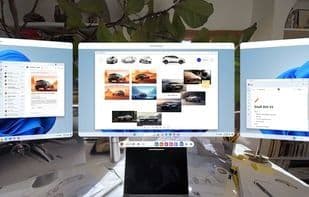
Mixed Reality Link enables seamless connectivity between Windows 11 PCs and Meta Quest 3/3s headsets. It extends your Windows 11 experience by delivering a private, high-quality, multi-monitor workstation directly through the headset.
Key Features:
- Easy Pairing: Effortlessly pair your computer and mixed reality device using a QR code for a secure connection.
- High-Quality, Low-Latency Streaming: View and interact with your desktop with crisp text and minimal delay.
- Multi-Monitor Workspace: Access multiple high-resolution displays in a private environment to boost productivity and focus.
How to use Mixed reality link?
Mixed Reality Link aims to seamlessly connect Windows 11 PCs with Meta Quest 3/3s headsets, offering a private, high-quality multi-display workstation through the headset to extend the Windows 11 experience and enhance productivity.
Core Functions of Mixed reality link
Augmented Reality
Meta Quest Support
Supports Windows Mixed Reality
Usage Scenarios of Mixed reality link
- Set up multi-monitor workstations in virtual environments
- Privately access and operate Windows 11 desktops via headsets
- Boost productivity and focus
- High-definition, low-latency desktop interactions in mixed reality
Common Questions about Mixed reality link
What does Mixed Reality Link do?
How do I use Mixed Reality Link?
What are the core features of Mixed Reality Link?
What are the application scenarios for Mixed Reality Link?



















