




Product Information
What is Mydraw?
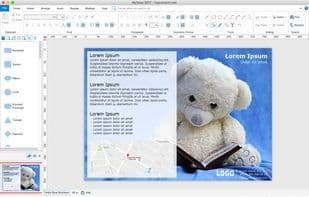
MyDraw is an easy-to-use yet powerful diagramming software that enables you to create a wide range of diagrams, such as flowcharts, organizational charts, mind maps, network diagrams, floor plans, family trees, business model diagrams, and more.
Here are the key features of the application:
- **Desktop application with a perpetual license.**
- **Cross-platform software.** Windows and Mac versions share the same interface and functionality.
- **Familiar UI** – The user interface adopts the ribbon UI you know from the Microsoft Office suite.
- **Over 400 diagram templates**, including flowcharts, org charts, flyers, certificates, business cards, family trees, and more.
- **More than 3,000 diagram shapes, symbols, and clipart images.**
- **Microsoft Visio compatibility** – MyDraw is the best Microsoft Visio alternative for Windows and macOS. You can use it to view, edit, and save Visio drawings and stencils.
- **Automatic diagram layouts** – Over 10 automatic layouts help you arrange diagrams quickly.
- **Advanced rich text support** – Full control over text fonts, styles, paragraph alignment, bullet points, numbering, images, tables, and more.
- **Advanced table support** – Includes features like master cells, multi-cell selection, text orientation, and more.
- **Spell checking and proofreading.**
- **Mail merge functionality.**
- **Import and export AutoCAD drawings (DXF format).**
- **Import map data from ESRI shapefiles.**
- **Support for creating and inserting over 30 types of linear and matrix barcodes** in diagrams, such as EAN-13, UPC, Code-39, Code-128, PDF417, Data Matrix, QR codes, and more.
- **GEDCOM format family trees** – Import and export family trees in the popular GEDCOM file format.
- **Import from SVG, WMF, EMF, EMF+, PNG, JPEG, and BMP.**
- **Export to PDF, SVG, EMF+, PNG, JPEG, and BMP.**
How to use Mydraw?
MyDraw is an easy-to-use yet powerful diagramming software that helps users create various types of charts, such as flowcharts, organizational charts, mind maps, and more, offering a wealth of templates and shapes.
Core Functions of Mydraw
Customizable
Flowcharts
Genealogy Data Communication Format
Construct Geometry
Mind Mapping
GEDCOM
Usage Scenarios of Mydraw
- Create flowcharts
- Draw organizational charts
- Make Mind Maps
- Design network diagrams
- Plan floor layouts
- Build family trees
Common Questions about Mydraw
What does MyDraw do?
How do I use MyDraw?
What are the core features of MyDraw?
What are the use cases for MyDraw?




















