




Product Information
What is Netpeeker?
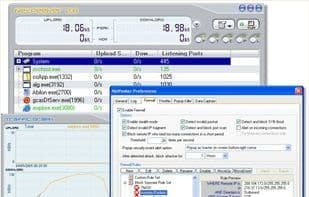
Monitor network applications, personal firewall, track whois, network speed limiter. NetPeeker is a network toolkit that combines traffic monitoring capabilities with the blocking features of a personal firewall. It enables you to monitor which programs are using your internet connection and optionally block selected connections or entire applications. Additionally, the personal firewall allows you to create flexible rules to allow/block traffic, and comes with a set of pre-configured common spyware blocking rules. NetPeeker can also limit bandwidth usage for selected applications or IP addresses and maintains detailed logs of all connections and operations. If you're interested in the specifics of each connection, you can enable data capture, where the program will record all network traffic for later review. You can use rules to restrict captures to specific applications, ports, protocols, or times. Overall, NetPeeker is a highly convenient toolkit for intermediate users, allowing you to monitor and control network traffic, and block portions of it when necessary.
How to use Netpeeker?
Netpeeker is a network toolkit combining traffic monitoring and personal firewall functionalities, helping users monitor and control network traffic and block unwanted connections.
Core Functions of Netpeeker
Peer-to-peer
Traffic monitoring
Usage Scenarios of Netpeeker
- Monitor Which Programs Are Using the Internet Connection
- Block Selected Connections or Entire Applications
- Create Flexible Rules to Allow or Block Network Traffic
- Limit Bandwidth Usage for Specific Applications or IP Addresses
- Capture All Network Traffic for Later Review
- Block Common Spyware
Common Questions about Netpeeker
What does Netpeeker do?
How do I use Netpeeker?
What are the core features of Netpeeker?
What are the use cases for Netpeeker?



















