




Product Information
What is Notepad3?
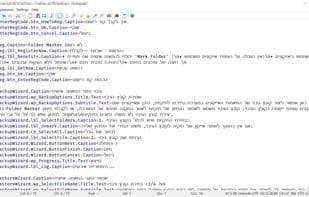
Notepad3 is a lightweight text editor packed with numerous features: code folding, bracket matching, auto-indentation, word auto-completion, character encoding conversion between various formats (ASCII, UTF-8, and UTF-16), line ending format conversion (among DOS (CR/LF), Unix (LF), and Macintosh (CR) formats), multiple undo or redo actions, bookmarks, and regex-based find and replace. It also includes multilingual support, dark mode, and color preview among other enhancements. Custom grepWin is bundled as well.
Despite significant updates to the Windows operating system over recent years, the default Windows Notepad has remained remarkably basic since the 1980s. If you need a text editor for simple programming tasks, the standard Windows Notepad falls short. Enter Notepad3! Built upon Scintilla-based Notepad2, followed by its successor Notepad2-mod, and now evolved into Notepad3.
Thus, we developed Notepad3 to incorporate all the functionalities currently missing in the default Windows Notepad. It's a fast and lightweight Scintilla-based text editor with syntax highlighting. Despite its minimal memory footprint, it's powerful enough to handle most programming tasks.
When we mentioned earlier that Notepad3 can tackle nearly any programming job, we weren't exaggerating. Just take a look at the extensive list of supported programming languages below to find your favorite.
Syntax highlighting is available for over 50 languages: ASP, Assembly, AutoHotkey, AutoIt3, AviSynth, Bash, BAT, C, C++, C#, CMake, CoffeeScript, Common Gateway Interface (CGI), Cascading Style Sheets (CSS), DIFF, HTML, INF, INI, Inno Setup, Java, JavaScript, LaTeX, Lua, Markdown, NSIS, Pascal, Perl, PHP, Python, REG, Ruby, SQL, Tcl, Visual Basic (VB), VBScript, VHDL script, XHTML, XML, YAML, D source script, Go source script, JSON, Makefiles, MATLAB, Nim source code, PowerShell scripts, resource scripts, shell scripts, R, S, S-Plus, Kotlin, Windows Registry files, configuration files, and enhanced support for NFO ANSI art.
How to use Notepad3?
Notepad3 is a fast, lightweight text editor designed to supplement the shortcomings of Windows' default Notepad, offering advanced features like syntax highlighting and code folding, especially suitable for programming and complex text processing tasks.
Core Functions of Notepad3
Lightweight
Privacy-Focused
Support Themes
Distraction-free
Support for Unicode
Small footprint
Usage Scenarios of Notepad3
- Perform simple programming tasks
- Edit .txt files
- Handle complex text tasks
- Edit code with syntax highlighting for over 50 programming languages
- Convert character encoding and line break formats
Common Questions about Notepad3
What does Notepad3 do?
How do I use Notepad3?
What are the core features of Notepad3?
What are the application scenarios of Notepad3?




















