




Product Information
What is Opencode?
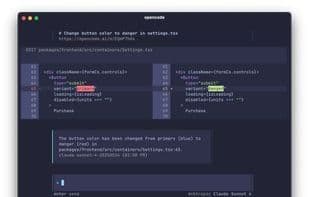
AI Coding Agent for the Terminal.
Native TUI: Responsive, native, themable terminal UI.
LSP Enabled: Automatically loads the correct LSP for the LLM.
Multi-Session: Launch multiple agents in parallel on the same project.
Shareable Links: Share links of any session for reference or debugging.
Claude Pro: Sign in with Anthropic to use your Claude Pro or Max account.
Use Any Model: Supports over 75 LLM providers, including local models, via Models.dev.
How to use Opencode?
Opencode is an AI programming assistant designed for terminals, offering a responsive native terminal UI and support for multiple large language models (LLMs) to help developers write code efficiently in the terminal.
Core Functions of Opencode
Support Themes
Command Line Interface
AI-Driven
TUI
Usage Scenarios of Opencode
- Get AI-assisted coding directly in the terminal.
- Launch multiple AI agents in parallel on the same project to handle different tasks.
- Share session links with team members for reference or debugging.
- Use LSP features for intelligent code completion and error checking.
- Use preferred large language models (LLMs) for code generation or optimization.
Common Questions about Opencode
What does Opencode do?
How do I use Opencode?
What are the core features of Opencode?
What are the use cases for Opencode?


















