




Product Information
What is Pac manager?
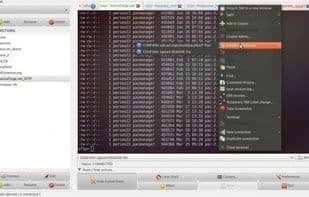
PAC is a Perl/GTK Gnome alternative to SecureCRT/Putty/etc... It offers a GUI for configuring SSH/Telnet connections: users, passwords, EXPECT regular expressions, macros, and more.
A unique Linux application that delivers nearly all the functionalities of SecureCRT.
Remote and local macros.
Send commands remotely using EXPECT regexp.
Cluster connections!! Keystrokes are shared across connections in the same cluster!
Proxy support.
KeePassX integration!
Serial/tty connections via cu/tip/remote-tty!
RDP (via rdesktop) and VNC (via vncviewer) support!
Local pre/post-connection execution.
Line transaction feature for sending commands.
Tabs or windows for connections!
Quick access to configured connections via tray menu icon.
Wake-on-LAN functionality!
And much, much more that I just forgot, with even more to come (as soon as I find the time!).
Free (GNU GPLv3).
How to use Pac manager?
PAC Manager is a Perl/GTK Gnome-based SSH/Telnet connection management tool, serving as an alternative to SecureCRT/Putty. It provides a graphical interface to configure and manage remote connections, offering many of SecureCRT's features.
Core Functions of Pac manager
Multi-tab interface
VNC Support
RDP
Support Multiple Protocols
Connection grouping
Gtk
Usage Scenarios of Pac manager
- Configure and manage SSH/Telnet connections
- Remotely send commands with EXPECT regex
- Manage cluster connections and share keystrokes
- Establish serial/tty connections via cu/tip/remote-tty
- Support RDP and VNC remote desktop connections
- Wake devices using Wake-On-LAN functionality
Common Questions about Pac manager
What does PAC Manager do?
How do I use PAC Manager?
What are the core features of PAC Manager?
What are the use cases for PAC Manager?



















