




Product Information
What is Pcem?
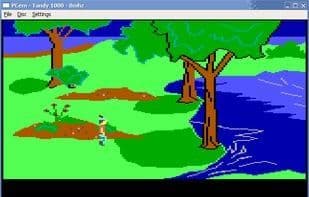
PCem provides emulation for a variety of IBM PC-compatible machines, from the original 1981 Model 5150 to later successors and clones produced by third-party manufacturers. The software includes emulation for numerous compatible graphics video adapters, audio devices, and other peripherals available today.
Emulated machines include the IBM 5150 PC, IBM 5160 XT, IBM PCjr, IBM PC AT, IBM PS/1, as well as more variants and clones from manufacturers like Olivetti, Tandy, and Amstrad—spanning roughly from 1981 to the mid-1990s, up to Pentium-class processors.
Emulated graphics adapters cover MDA, Hercules, CGA, EGA, VGA, various SVGA chipsets, and the 3Dfx Voodoo. Emulated audio interfaces include the PC speaker, Tandy, Creative Gameblaster, Adlib and Adlib Gold, various iterations of the Creative Sound Blaster (from 1.0 to 16 and AWE32), and the Gravis Ultrasound. Additionally, the application emulates various mice and CD-ROM drives.
It has been tested to successfully run MS-DOS and its clones, Windows 1 through Windows XP, OS/2 1.0 to Warp 4, as well as multiple versions of Linux and BSD.
Unlike other PC emulators, PCem is not designed to provide a "compromise system" that supports as many applications as possible in a single environment. Instead, it focuses on the authentic reproduction of real machines, offering functionality that is neither more nor less than the original hardware it models. In contrast to projects like DOSBox, it does not simulate an entire operating system environment but acts as a true hardware emulator, allowing (and requiring) the installation of any operating system compatible with the original machine.
How to use Pcem?
PCem is a hardware emulator that authentically recreates various IBM PC-compatible machines from the 1981 IBM 5150 PC to mid-90s models, offering a true retro computing experience.
Core Functions of Pcem
Virtualization
Usage Scenarios of Pcem
- Experience personal computing environments from the 80s and 90s.
- Run retro games.
- Install and run legacy OS like MS-DOS, Windows 1-XP, OS/2.
- Research and learn how historical computer hardware operated.
Common Questions about Pcem
What does PCem do?
How do I use PCem?
What are the core features of PCem?
What are the use cases for PCem?



















